SaaS solutions revolutionize the way businesses operate by offering cloud-based software that enhances efficiency and flexibility. From implementation to security measures, this comprehensive guide explores the key aspects of SaaS solutions.
Introduction to SaaS Solutions
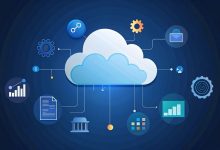
SaaS (Software as a Service) solutions refer to cloud-based software applications that are hosted and maintained by a third-party provider. Users can access these applications over the internet, eliminating the need for on-premises installation and management.





Examples of Popular SaaS Solutions
- 1. Salesforce: A customer relationship management (CRM) software used by businesses to manage sales, customer service, and marketing.
- 2. Microsoft Office 365: A suite of productivity tools including Word, Excel, and PowerPoint, accessible online.
- 3. Slack: A messaging platform for teams to collaborate and communicate in real-time.
Benefits of Using SaaS Solutions for Businesses
- Cost-Effective: SaaS solutions often follow a subscription-based model, reducing upfront costs for businesses.
- Scalability: Businesses can easily scale their software usage based on their needs without significant investments in infrastructure.
- Automatic Updates: Providers handle software updates and maintenance, ensuring businesses always have access to the latest features and security patches.
- Accessibility: Users can access SaaS applications from any device with an internet connection, promoting flexibility and remote work.
Key Features of SaaS Solutions
SaaS solutions offer a range of key features that make them popular among businesses of all sizes. These features include:
1. Accessibility and Cross-Device Compatibility
- Users can access SaaS solutions from any device with an internet connection, promoting flexibility and remote work.
- Compatibility across devices ensures seamless user experience and increased productivity.
2. Automatic Updates and Maintenance
- SaaS providers handle all software updates and maintenance tasks, ensuring that users always have access to the latest features and improvements.
- This eliminates the need for manual updates and reduces the burden on IT teams.
3. Cost-Effective Scalability
- Businesses can easily scale their usage of SaaS solutions up or down based on their needs, allowing for cost-effective operations.
- Pay-as-you-go pricing models enable organizations to pay only for the resources they use, avoiding unnecessary expenses.
4. Data Security and Compliance
- SaaS providers implement robust security measures to safeguard user data and ensure compliance with industry regulations.
- Regular security audits and encryption techniques protect sensitive information from unauthorized access.
Implementation of SaaS Solutions
Implementing SaaS solutions involves a series of steps to ensure a successful deployment. It is crucial to follow best practices and be prepared to address any challenges that may arise during the implementation phase.
Steps in Implementing SaaS Solutions
- Assessment and Planning: Evaluate your current systems and processes to identify areas where SaaS solutions can be implemented. Create a detailed implementation plan outlining goals, timelines, and key milestones.
- Vendor Selection: Choose a reputable SaaS provider that aligns with your business needs and goals. Consider factors such as scalability, security, and support services.
- Data Migration: Transfer existing data to the SaaS platform securely and efficiently. Ensure data integrity and accuracy throughout the migration process.
- Integration: Integrate the SaaS solution with other systems and applications used within your organization to ensure seamless workflow and data exchange.
- User Training: Provide comprehensive training to users on how to effectively use the SaaS solution. Offer ongoing support and resources to address any questions or issues.
- Testing and Quality Assurance: Conduct thorough testing to identify and resolve any bugs or issues before full deployment. Ensure the SaaS solution meets performance and security standards.
- Go-Live and Deployment: Roll out the SaaS solution to end-users in a phased approach to minimize disruptions. Monitor performance and gather feedback for continuous improvement.
Best Practices for Successful SaaS Solution Deployment
- Ensure clear communication and collaboration between stakeholders throughout the implementation process.
- Establish key performance indicators (KPIs) to measure the success of the SaaS solution deployment.
- Regularly monitor and evaluate the performance of the SaaS solution to identify areas for optimization and enhancement.
- Implement robust security measures to protect sensitive data and ensure compliance with regulations.
- Provide ongoing training and support to users to maximize adoption and utilization of the SaaS solution.
Challenges and Solutions in SaaS Implementation
- Integration Complexity: Address integration challenges by utilizing APIs and middleware solutions to facilitate seamless data exchange between systems.
- Data Security Concerns: Implement encryption and access controls to safeguard data stored in the SaaS platform and during transmission.
- User Resistance: Address user resistance through effective change management strategies, user training, and clear communication of benefits.
- Scalability Issues: Ensure the SaaS solution can scale with your business growth by choosing a provider that offers flexible pricing and scalability options.
Security Measures in SaaS Solutions
In the realm of Software as a Service (SaaS) solutions, ensuring robust security measures is paramount to safeguarding sensitive data and maintaining trust with customers.
Importance of Security in SaaS Solutions
Security in SaaS solutions is crucial to protect against unauthorized access, data breaches, and cyber threats. By implementing strong security measures, SaaS providers can instill confidence in their clients and guarantee the safety of their valuable information.
Common Security Measures in SaaS Solutions
- Encryption: SaaS providers often use encryption techniques to secure data both in transit and at rest. This ensures that information remains unreadable to unauthorized parties.
- Multi-factor Authentication: By requiring multiple forms of verification, such as passwords, biometrics, or security tokens, SaaS solutions enhance access control and prevent unauthorized logins.
- Regular Security Audits: Conducting frequent security audits helps identify vulnerabilities and weaknesses in the system, allowing for timely remediation and strengthening of defenses.
- Firewalls and Intrusion Detection Systems: Implementing firewalls and intrusion detection systems help monitor network traffic, detect suspicious activities, and prevent unauthorized access to the system.
Data Privacy and Compliance in SaaS Solutions
SaaS solutions prioritize data privacy by adhering to regulations such as GDPR, HIPAA, or PCI DSS, depending on the industry and geographic location. By following strict compliance standards, SaaS providers ensure that customer data is handled securely and in accordance with legal requirements.
Integration Capabilities of SaaS Solutions
When it comes to SaaS solutions, one of the key features that businesses look for is the ability to seamlessly integrate with other software and platforms. Integration capabilities play a crucial role in enhancing the functionality and efficiency of SaaS solutions, allowing businesses to streamline their processes and workflows.
Third-Party Integrations
SaaS solutions offer a wide range of third-party integrations that enable businesses to connect their SaaS applications with other tools and services they already use. Some common examples of third-party integrations include:
- Integration with CRM systems such as Salesforce to streamline customer data management.
- Integration with accounting software like QuickBooks for seamless financial transactions.
- Integration with marketing automation platforms such as HubSpot for targeted marketing campaigns.
Advantages of Seamless Integration
Seamless integration with third-party tools and services offers several advantages for businesses using SaaS solutions:
- Increased Efficiency: Integration allows for automated data transfer between different systems, reducing manual work and saving time.
- Enhanced Functionality: By integrating with complementary tools, businesses can enhance the functionality of their SaaS solutions and improve overall performance.
- Improved Decision-Making: Integrated systems provide access to real-time data across multiple platforms, enabling better decision-making based on accurate information.
- Scalability: Integration capabilities make it easier for businesses to scale their operations and adapt to changing needs without disrupting workflows.
Cost Considerations for SaaS Solutions
When considering SaaS solutions for your business, understanding the cost implications is crucial. Let’s explore the various factors that can impact the overall cost of using SaaS solutions.
Pricing Models Used by SaaS Providers
Most SaaS providers offer different pricing models to cater to the diverse needs of businesses. Some common pricing models include:
- Subscription-based: Users pay a recurring fee at regular intervals.
- Usage-based: Costs are based on the usage of the software, such as the number of users or transactions.
- Freemium: Basic features are offered for free, with additional premium features available for a fee.
Cost of Implementing SaaS Solutions vs. Traditional Software
Implementing SaaS solutions typically involves lower upfront costs compared to traditional software. With SaaS, businesses can avoid hefty investments in hardware, maintenance, and IT staff. This makes SaaS a more cost-effective option for many organizations.
Factors Affecting the Overall Cost of Using SaaS Solutions
Several factors can influence the overall cost of using SaaS solutions, including:
- Number of users: The more users you have, the higher the subscription cost.
- Customization: Additional customization and integration requirements can increase costs.
- Training and support: Costs associated with training employees and ongoing support services.
- Data storage and bandwidth: Depending on your data storage and bandwidth needs, costs may vary.
Customer Support and Service Level Agreements (SLAs)
Customer support is a critical aspect of SaaS solutions as it ensures that users receive timely assistance and guidance to address any issues or concerns they may encounter. Additionally, Service Level Agreements (SLAs) play a significant role in establishing the terms of service and performance expectations between the SaaS provider and the customer.
Types of SLAs
- Availability SLA: This type of SLA guarantees the uptime of the SaaS solution and specifies the percentage of time the service will be operational.
- Performance SLA: Performance SLAs outline the speed and responsiveness of the SaaS solution, ensuring that it meets the performance requirements agreed upon.
- Resolution SLA: Resolution SLAs define the timeframe within which the SaaS provider commits to resolving any issues reported by the customer.
Role of SLAs in Service Reliability
SLAs are essential in ensuring service reliability and performance by setting clear expectations for both parties. They help establish accountability, define the scope of support services, and provide a framework for measuring and monitoring the SaaS solution’s performance. Adhering to SLAs also fosters trust between the SaaS provider and the customer, leading to a more transparent and efficient partnership.
Use Cases and Industries Benefiting from SaaS Solutions
Software as a Service (SaaS) solutions have revolutionized the way businesses operate across various industries. Let’s explore some real-world examples of industries that have successfully leveraged SaaS solutions to enhance their operations and efficiency.
Healthcare Industry
In the healthcare sector, SaaS solutions have played a vital role in streamlining patient management, electronic health records (EHR), telemedicine services, and medical billing. Healthcare providers can access patient data securely and efficiently, leading to improved patient care and operational efficiency.
Finance Sector
Financial institutions have adopted SaaS solutions for tasks such as accounting, payroll management, risk assessment, and compliance monitoring. These solutions offer real-time data analysis, secure data storage, and automated processes, enabling financial organizations to make informed decisions and enhance customer service.
E-commerce Industry
E-commerce companies rely on SaaS solutions for order management, inventory tracking, customer relationship management (CRM), and analytics. These solutions provide scalability, flexibility, and customization options to meet the dynamic needs of online businesses. By utilizing SaaS platforms, e-commerce businesses can optimize their operations and deliver a seamless shopping experience to customers.
User Experience Design in SaaS Solutions
User experience design plays a crucial role in the success of SaaS solutions. It focuses on creating interfaces that are intuitive, user-friendly, and engaging for the end-users. A well-designed user experience can significantly impact the overall usability and adoption rate of SaaS solutions.
Best Practices for Creating Intuitive and User-Friendly Interfaces
- Keep the interface simple and clutter-free to avoid overwhelming users with too much information.
- Use clear and concise language to guide users through the platform and help them understand the functionalities.
- Implement responsive design to ensure a seamless experience across different devices and screen sizes.
- Provide easy navigation with intuitive menus and clear pathways for users to complete tasks efficiently.
- Incorporate interactive elements like buttons, dropdowns, and sliders to enhance user engagement.
Role of UX/UI Design in Enhancing Overall Usability
User experience (UX) and user interface (UI) design are essential components of SaaS solutions as they focus on optimizing the way users interact with the platform. UX design ensures that the product meets the users’ needs and expectations, while UI design focuses on creating visually appealing and functional interfaces. By combining UX and UI design principles, SaaS solutions can deliver a seamless and enjoyable user experience, ultimately leading to higher user satisfaction and retention.
Future Trends and Innovations in SaaS Solutions
The SaaS industry is constantly evolving, and it’s essential to stay ahead of the curve when it comes to future trends and innovations. Let’s explore some of the key areas that are expected to shape the future of SaaS solutions.
AI and Machine Learning Integration
AI and machine learning technologies are revolutionizing the way SaaS solutions operate. By leveraging data analytics and automation, SaaS providers can offer more personalized and efficient services to their customers. These technologies can help in predictive analytics, intelligent automation, and enhanced decision-making processes within SaaS platforms.
- AI-driven insights: AI can analyze vast amounts of data to provide valuable insights and recommendations to users, improving overall efficiency and productivity.
- Automated workflows: Machine learning algorithms can streamline processes and automate repetitive tasks, reducing manual intervention and increasing operational speed.
- Enhanced security: AI-powered security measures can detect and respond to potential threats in real-time, ensuring data protection and compliance with industry standards.
Disruptive Innovations in SaaS Offerings
As the SaaS market becomes more competitive, disruptive innovations are expected to shake up the current landscape of offerings. Startups and established players alike are focusing on creating unique solutions that cater to specific industry needs and challenges.
One such innovation could be the integration of blockchain technology to enhance data security and transparency in SaaS solutions, ensuring trust and integrity in transactions and data exchanges.
- Vertical-specific solutions: SaaS providers are developing industry-specific solutions tailored to the unique requirements of sectors such as healthcare, finance, and retail, offering specialized functionalities and features.
- Edge computing capabilities: With the rise of IoT devices and edge computing, SaaS solutions are expected to support decentralized data processing and storage, enabling faster and more efficient operations.
- Collaborative platforms: SaaS offerings that prioritize collaboration and communication tools are gaining popularity, allowing teams to work seamlessly across different locations and time zones.
Case Studies and Success Stories of SaaS Implementations
Implementing SaaS solutions has proven to be a game-changer for many businesses, leading to increased efficiency, cost savings, and improved scalability. Let’s dive into some case studies that showcase successful SaaS implementations and their impact on business growth.
Case Study 1: Company X
- Increased efficiency and accuracy in inventory management.
- Cost savings due to reduced manual errors and streamlined processes.
- Improved productivity and operational performance.
Company X, a medium-sized manufacturing firm, decided to switch to a cloud-based SaaS solution for their inventory management. By implementing the SaaS solution, they were able to streamline their inventory processes, reduce manual errors, and improve inventory accuracy by 30%. This led to a significant reduction in operational costs and an increase in overall productivity.
Key Takeaways:
Case Study 2: Company Y
- Enhanced customer relationship management and lead tracking.
- Automated follow-up processes for improved sales conversions.
- Significant increase in sales revenue and customer satisfaction.
Company Y, a global sales organization, adopted a SaaS CRM solution to manage their customer data and sales processes. The implementation of the SaaS CRM system allowed them to track leads more effectively, automate follow-ups, and provide personalized customer experiences. As a result, Company Y saw a 40% increase in sales revenue within the first year of implementation.
Key Takeaways:
Impact of SaaS Solutions on Business Growth and Efficiency
- Improved operational efficiency through automation and streamlined processes.
- Cost savings by eliminating the need for expensive on-premise software and hardware.
- Scalability to accommodate business growth and changing needs without significant upfront investment.
- Enhanced collaboration and communication among teams, leading to better decision-making and innovation.
SaaS solutions have revolutionized the way businesses operate by offering scalable, cost-effective, and user-friendly tools that enhance productivity and drive growth. The impact of SaaS solutions on business growth and efficiency includes:
Last Point
In conclusion, SaaS solutions empower businesses to scale, innovate, and adapt to changing market dynamics with ease. By leveraging the benefits of cloud-based software, organizations can optimize their operations and stay ahead in a competitive landscape.

Digital content creator with an eye for detail and a focus on trending global topics.